
Warehouse shapes
Rectangle, square, L-shape, flipped L-shape and custom outlines.
 01827 949222
sales@rackitstackit.co.uk
Start My Free Layout
01827 949222
sales@rackitstackit.co.uk
Start My Free Layout
Free Warehouse Racking Optimiser
Free Warehouse Optimiser
Turn your warehouse dimensions into practical racking layouts. Compare pallet capacity, aisle space and different configurations in 2D and 3D — then send your preferred plan for expert review and a tailored quote.
Free to use · No CAD skills required · No obligation
See it in action
Switch between layout, side view, 3D and review details without rebuilding the plan.
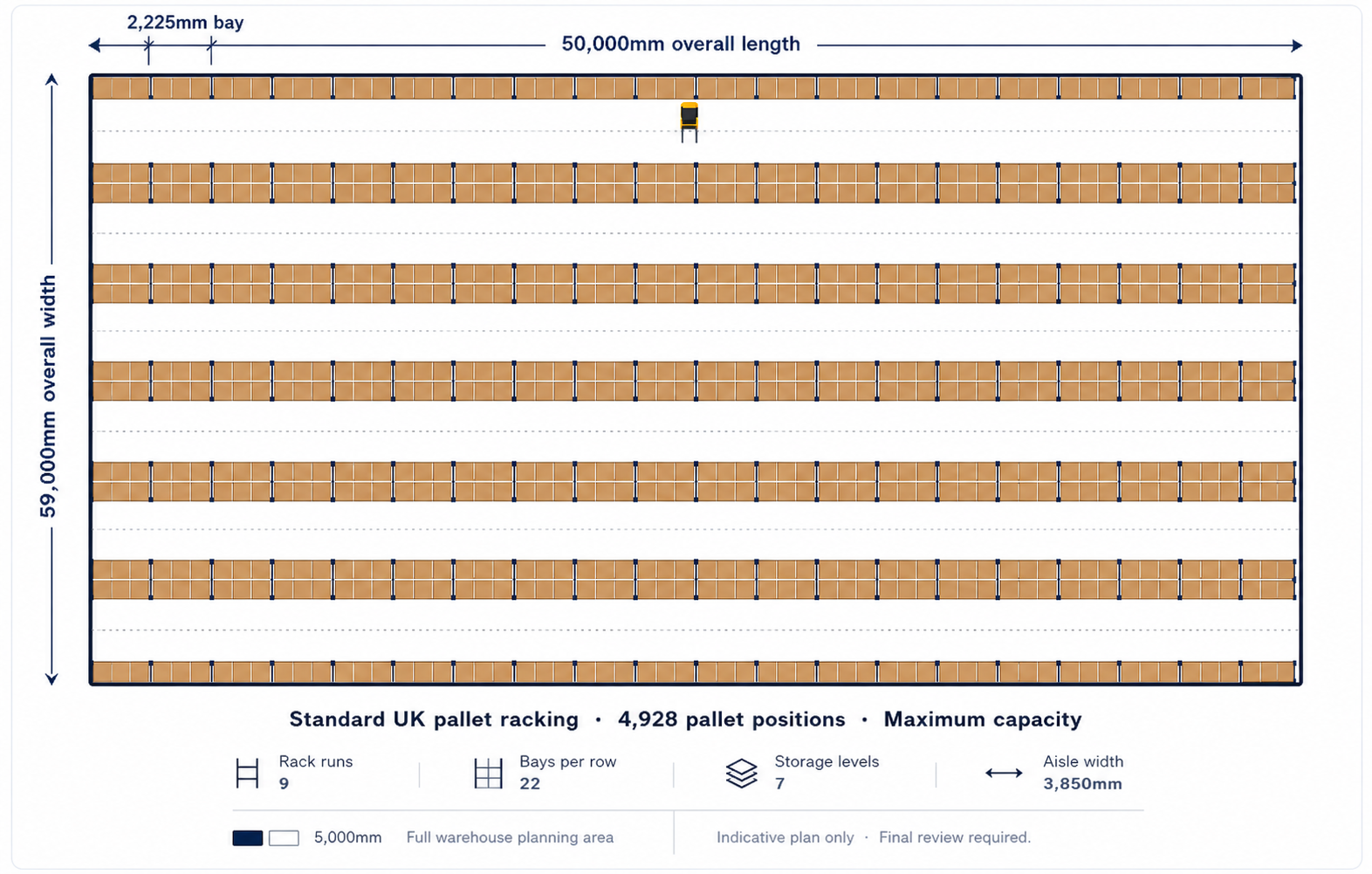
See runs, aisles, wall dimensions and pallet count in one clean top-down view.

Choose a simple shape or draw a custom outline around the usable warehouse space.

Add walkways, emergency exits and keep-clear zones before the layout is generated.

Account for forklift or reach-truck access routes and clear lower rack levels where needed.

Check bay heights, beam levels and upper pallet positions before sending the plan for review.

Review the racking layout, access zones and warehouse shape from a clearer visual angle.

Package dimensions, layout choices and quote preferences into a structured review request.
Built around your inputs
Rectangle, square, L-shape, flipped L-shape and custom outlines.
Walkways, emergency exits and keep-clear zones.
Compare pallet count, aisles, rack runs and bay structure.
Plan equipment routes and clearance zones.
Fine-tune pallet levels and bay heights.
Send a structured plan to Rack It Stack It.
How it works
Draw only the usable area and add walkways or exits.
See pallet positions, runs, aisles and access routes.
Rack It Stack It checks the final specification and quote details.
Real warehouse areas
Draw only the area where pallet racking can realistically go. Exclude offices, loading bays, walkways, packing benches and keep-clear zones before layout options are compared.
Important: Layouts are indicative. Final racking specification, load capacity, aisle suitability and installation details must be confirmed by Rack It Stack It.
Get started
Use the Warehouse Optimiser to create a clearer starting point for your racking quote.
Select your preferred pricing display: including VAT or excluding VAT. This setting can be adjusted anytime.